Case Management System
Track, manage and resolve every case from intake to closure with full audit trails.
A robust Case Management platform built for governments, healthcare providers, and enterprises. Every case is tracked end-to-end with SLA monitoring, automated escalations, and rich reporting.
- Customizable workflows
- SLA tracking & alerts
- Document management
- Full audit trails
A case management system with full accountability from intake to closure
Our case management system gives government agencies, healthcare providers and enterprises one place to record, assign, track and resolve every case. Each case follows a configurable workflow, with SLA timers, automated escalations and a full audit trail showing who did what and when. Managers can see where work is stuck before a deadline is missed, not after a complaint arrives.
The platform is delivered as CaseDesk. CaseDesk Standard covers teams of up to 25 agents with configurable forms, SLA alerts and standard reports. CaseDesk Pro is built for regulated organisations that need unlimited agents, document management with e-signatures, multi-step workflows, advanced role-based access and API integration with the rest of their systems.
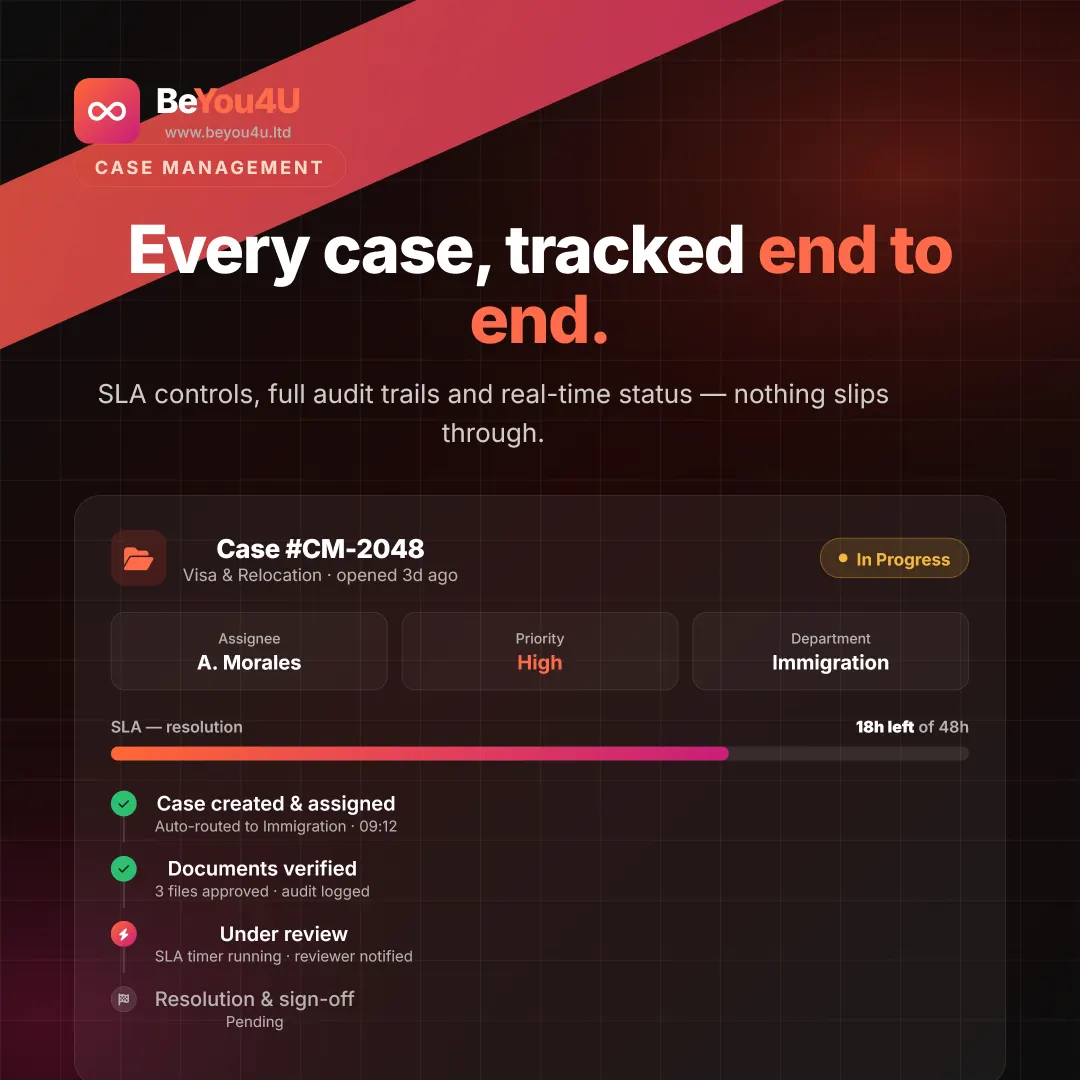
Why teams move their case work into CaseDesk
Configurable workflows
Model your real process, from intake and triage to review, approval and closure. Adjust forms, steps and rules as your policies evolve.
SLA timers and escalations
Every case carries its deadline. Timers and alerts warn agents and supervisors as a target approaches, and escalation rules move overdue work to the right person automatically.
Complete audit trail
Every action, status change and document is recorded against the case, giving you the evidence needed for internal reviews, complaints handling and regulatory audits.
Role-based security
Control exactly who can view, edit or approve each type of case. Sensitive records stay visible only to the people who need them, and data handling is GDPR-compliant.
From paper and spreadsheets to a live case system
-
Review your process
We walk through how cases arrive, who handles them, which deadlines apply and what reports you need.
-
Configure CaseDesk
Case types, forms, SLA rules, escalations and user roles are set up to match the way you work.
-
Connect your systems
Where needed, we link CaseDesk to your CRM, queue system or other platforms through its API, so data is not re-keyed.
-
Train and go live
Agents and supervisors are trained on their own workflows, and our support team stays with you after go-live.
Who uses our case management software
Government agencies
Handle applications, permits, complaints and enquiries with full audit trails and clear accountability for every decision.
Healthcare providers
Track patient complaints, referrals and administrative cases with SLA monitoring and access restricted by role.
Banks and financial services
Manage customer disputes, complaints and compliance cases with documented escalation paths and exportable reports.
Enterprise service teams
Replace shared inboxes and spreadsheets with one system where every request has an owner, a deadline and a history.
Case management system FAQ
What is a case management system?
A case management system is software that records each piece of work, such as an application, complaint or request, as a case and tracks it through defined steps until it is closed. It assigns owners, enforces deadlines, stores related documents and keeps an audit trail of every action taken.
What is the difference between CaseDesk Standard and CaseDesk Pro?
CaseDesk Standard is designed for teams of up to 25 agents and includes configurable case forms, SLA timers and alerts, email and in-app notifications and standard reports. CaseDesk Pro adds unlimited agents, document management with e-signatures, full audit trails, custom multi-step workflows, advanced role-based access, API integration and a dedicated support manager.
How do SLA timers and escalations work?
Each case type can carry a target resolution time. The timer starts when a case is opened, alerts warn the assigned agent and their supervisor as the deadline approaches, and escalation rules reassign or flag cases that breach their SLA, so nothing is quietly left overdue.
Can CaseDesk connect to our other systems?
Yes. CaseDesk Pro includes API integration, so cases can be created from other platforms and updates sent back to them. It can also be linked to our Smart Queue Management system, so a visit completed at a service counter can be recorded as a case.
Interested in Case Management System?
Talk to our team and get a personalised walkthrough.
Request a Demo